
In this post
SwitchDesk
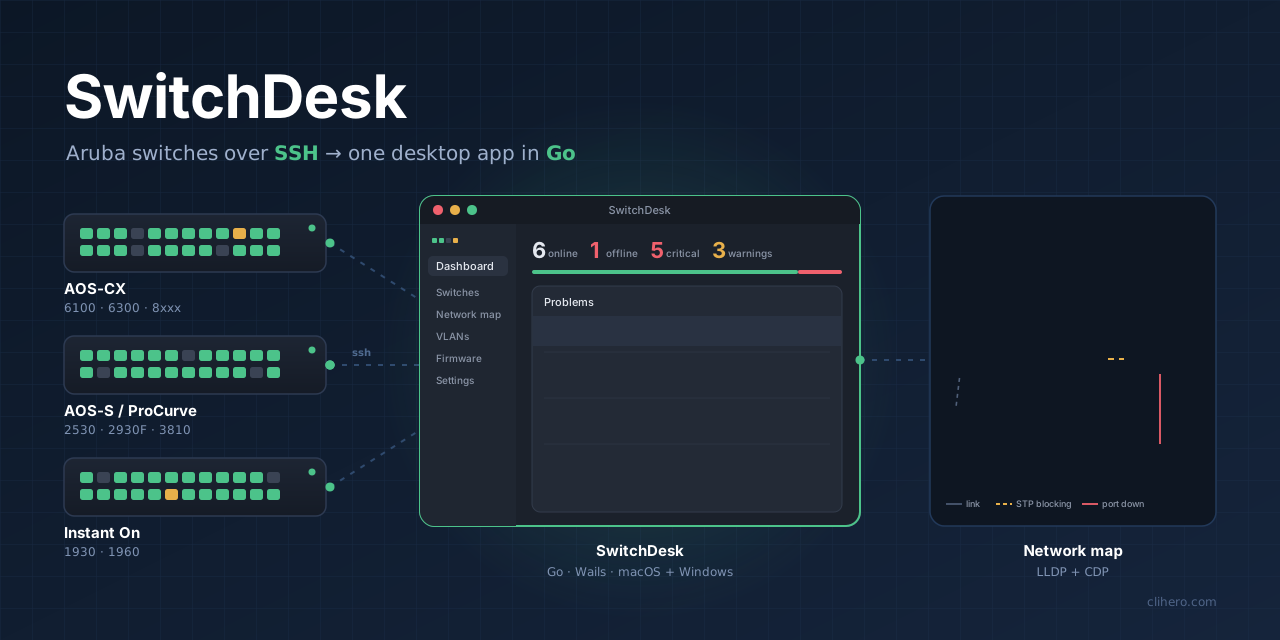
A desktop app for Aruba AOS-CX, AOS-S/ProCurve and Instant On switches.
Go and Wails, macOS and Windows, SSH only.
Every morning I want the same answers about the switch network. Is everything up? Did anything change overnight? Is spanning tree still sane? Which port goes where?
For a long time that meant a terminal, an SSH session to one switch, a few show commands, then the next switch, and the next. Or clicking through web UIs one switch at a time. It works, but you only ever see the switch you’re logged into, and nothing puts the pieces together for you. A full NMS would, but for a few dozen switches it’s a lot of software to install and look after.
So I wrote SwitchDesk. It logs in to every switch over plain SSH, reads it, and puts the whole network on one screen. Everything stays on my laptop.
The screenshots use example switch names and addresses.

Why another tool
My network has three Aruba families: AOS-CX, older AOS-S/ProCurve, and Instant On. Each has its own CLI and its own output format. The tools I looked at either covered one family, wanted agents and a server, or came with a license and a cloud account.
I also have a bigger project, Retivo, a web app for managing network hardware and its vulnerabilities. I kept SwitchDesk separate on purpose. Retivo is something you deploy. SwitchDesk is something you open when you need it, and the switches need nothing except SSH (plus LLDP if you want the map).
The dashboard
The first screen counts what’s online and offline, lists every problem sorted by severity, and draws each switch as a faceplate with one LED per port. Green is up, grey is down, amber means spanning tree is blocking the port.
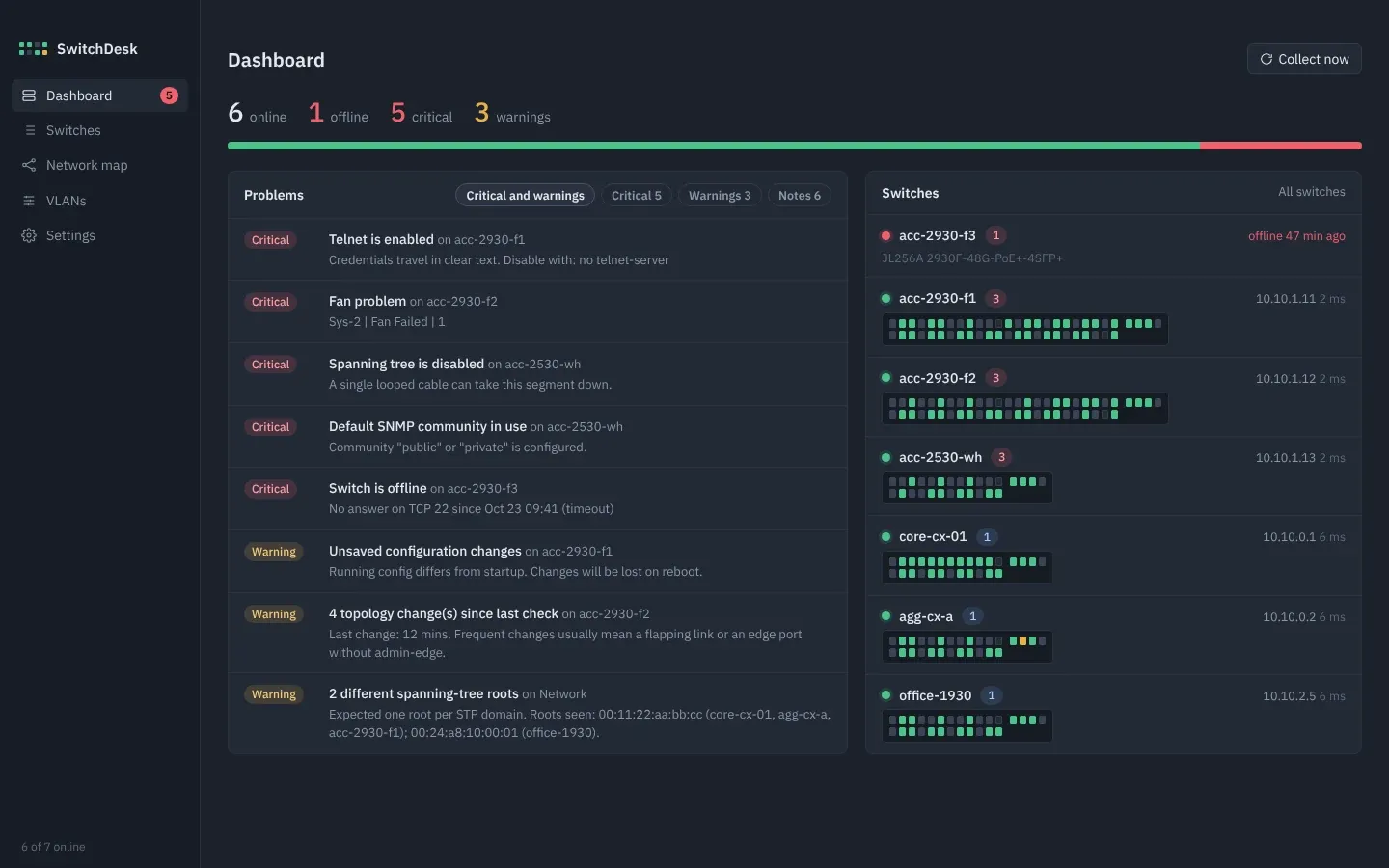
The problem list is the part I use most. It catches things that are easy to miss when you look at switches one by one:
| Area | What it flags |
|---|---|
| Reachability | Switch offline, SSH login failing, SSH host key changed |
| Spanning tree | STP disabled, topology changes since the last check, root chosen by default priority, more than one root |
| Security | Telnet on, plain HTTP management, default SNMP community, no manager password |
| Management | No NTP, no syslog, local accounts only, unsaved config |
| Hardware | Fan, power supply and temperature faults, high CPU or memory |
| Logs | Major and error events in the recent log |
“More than one root” is my favorite. Two spanning-tree roots in one network usually means someone plugged in a switch that thinks it’s in charge, and you’d never see that from inside a single switch.
One switch in detail
Clicking a switch opens everything SwitchDesk read from it: system facts, a checklist for management access, spanning tree with port roles and states, ports, VLANs, LLDP and CDP neighbors, logs and the running config.
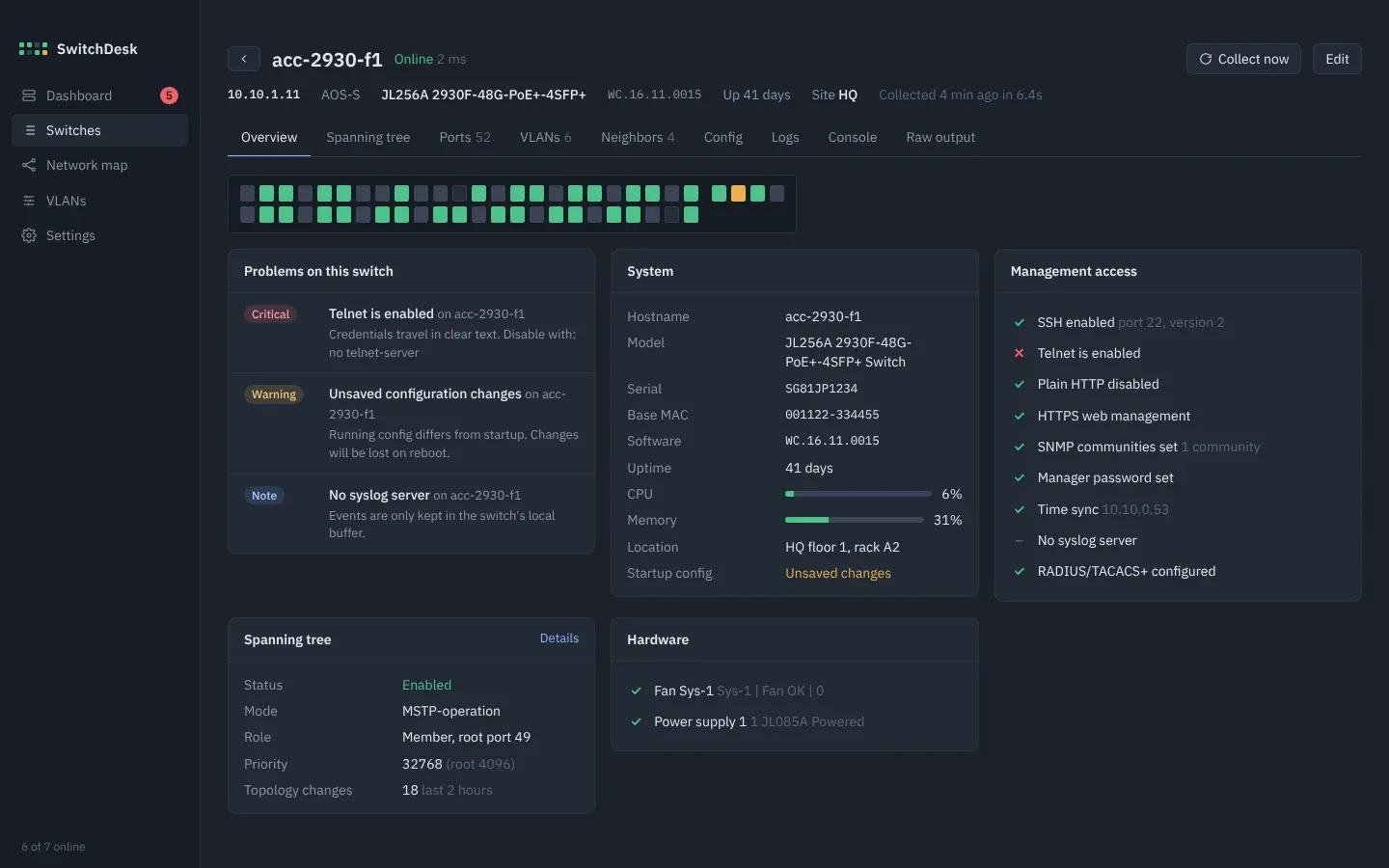
Every time the config changes, a copy is saved, and any two copies can be compared side by side. There’s also a small console that runs show, ping and traceroute and nothing else. If a parser ever misreads a switch, the Raw output tab shows exactly what came back.
VLANs without typing them
You can create, rename and delete VLANs, and set port membership by clicking a port through untagged, tagged and off. Before anything is sent, SwitchDesk shows the exact commands. Sending stops at the first line the switch rejects, and write memory only runs when every line before it went through. A network-wide matrix shows which switch carries which VLAN and flags names that don’t match between switches.
The network map
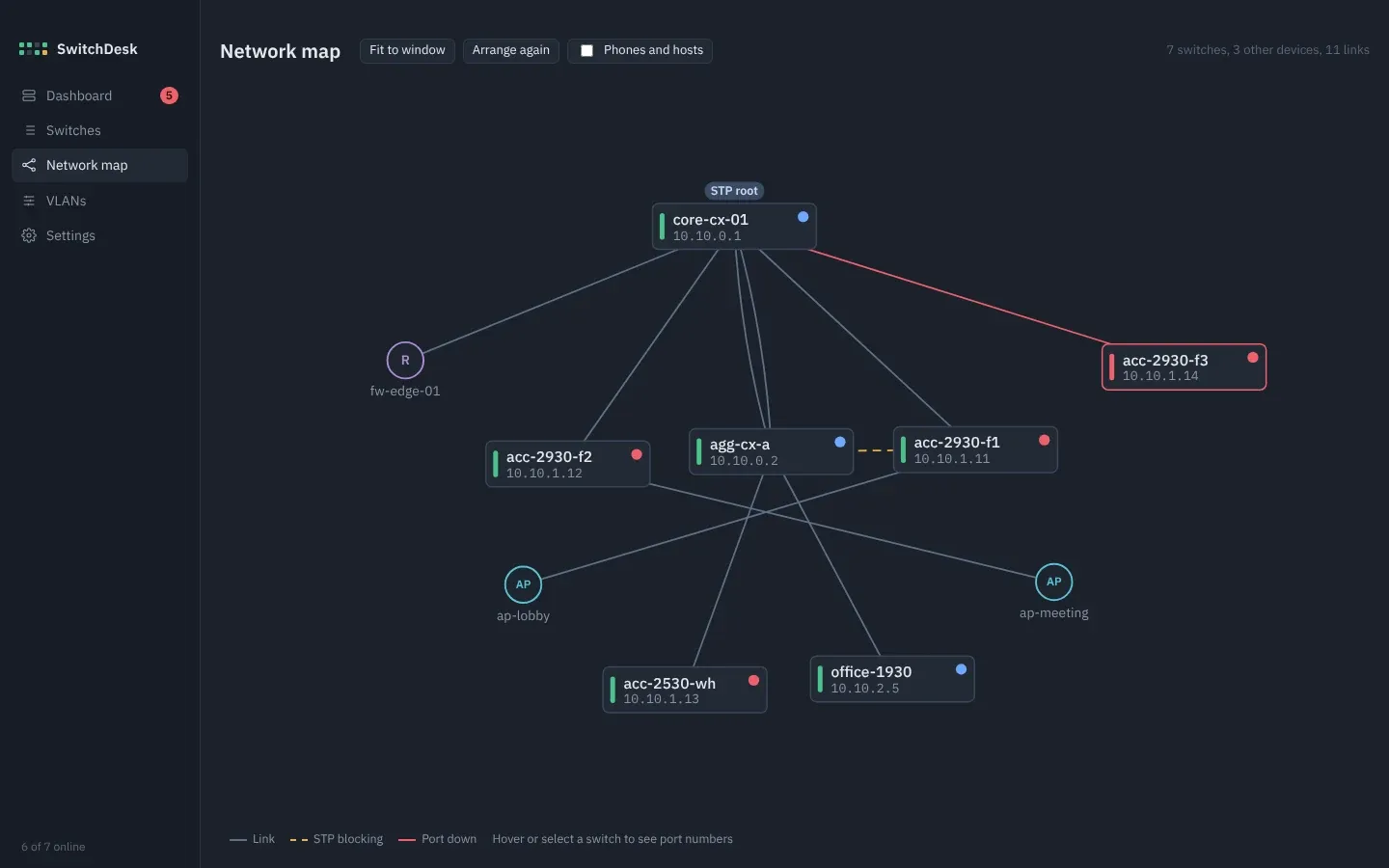
The map is built from LLDP and CDP neighbors and laid out top-down from the spanning-tree root. Blocked links are dashed amber and down links are red. Firewalls, access points and switches you don’t manage get their own shapes. You can drag switches around and the layout is kept.
Firmware updates
Each switch shows the version it runs and what’s in its primary and secondary bank. Update copies the new image into the spare bank, so the running version stays as a fallback, sets it as the boot default, saves the config, reboots, and checks that the switch came back on the new version. Several switches are updated one at a time.
The switches pull the image straight from SwitchDesk over a built-in TFTP server, so there’s nothing else to set up. HPE doesn’t allow firmware downloads without signing in, so you add the .swi files yourself, or paste a download link from the HPE support portal and SwitchDesk fetches it.
How it’s built
SwitchDesk is written in Go. For this job it was an easy pick: one binary, a fast start, low memory, and goroutines make it simple to talk to many switches at once. Reachability is checked every 30 seconds and each switch is re-read every 15 minutes, both adjustable.
The window is Wails, which runs a Go backend with an HTML and JavaScript front end as a native app on macOS and Windows. The UI is plain HTML, CSS and JavaScript with no build step.
The code is split into a few packages:
internal/sshx      SSH shell sessions: prompts, paging, escape codes, legacy ciphers
internal/aruba     command sets per family, output parsers, VLAN change builder
internal/core      polling, problem rules, network map
internal/store     inventory, encrypted credentials, snapshots, config copies
internal/firmware  image library, version matching, built-in TFTP server
Most of the work went into sshx and aruba. Older ProCurve switches page their output, print escape codes and sometimes only offer old SSH ciphers. AOS-CX formats the same information differently. The parsers are tested against sample output from both, so a single view can show either family the same way. Instant On gets reachability and whatever its CLI exposes, and its VLANs stay in the Instant On portal.
Your data stays local
Everything lives in one folder on your computer. Passwords are encrypted with AES-GCM using a key only your user can read. SSH host keys are pinned on first connect, and if a switch later shows a different key, SwitchDesk stops talking to it until you confirm.
You can move the data folder to another disk or a synced drive. To move to another computer, Export writes a single .sdbak file with the passwords re-encrypted under a passphrase you choose (Argon2id and AES-GCM), and Import on the other side adds to or replaces what’s there. Adding switches in bulk takes one address per line, name, address pairs, or ranges like 10.0.1.20-10.0.1.40.
Try it
Builds for macOS (universal) and Windows are on the releases page. The app isn’t notarized, so on a Mac right-click it and choose Open the first time. On Windows, SmartScreen may ask you to confirm.
I can only test against the switches I have. If SwitchDesk misreads yours, the Raw output tab makes a good test case, and I’d like to see it in GitHub Discussions. Feature ideas from people running real networks are welcome there too.
Follow along. New posts show up on the RSS feed. I also share my projects on GitHub, MakerWorld and LinkedIn.