
Making My Vaillant EcoCompact Boiler Smart with eBUSd and Home Assistant
Why I Started This Project
Making My Vaillant EcoCompact Boiler Smart with eBUSd and Home Assistant
Why I Started This Project
For quite some time, I’ve wanted to truly see what my heating system is doing — not just whether it’s on or off, but how it behaves throughout the day. I wanted to monitor the flow and return temperatures, check the burner activity, observe heating demand, and track overall efficiency trends in real time.
My goal was to bring that data into Home Assistant, so I could visualize performance, detect patterns, and eventually automate parts of my heating schedule based on actual conditions rather than guesswork.
My boiler, the Vaillant EcoCompact VSC266, already includes an eBUS interface — a two-wire communication system used in many Vaillant and related heating systems. This meant it was possible to extract live operational data and even send control signals.
To make the connection, I purchased an eBUSd USB Stick v6 (Type-C) with USR-ES1 module along with the matching eBUS Adapter Shield. The shield comes with 3d printed case and connects directly to the boiler’s eBUS terminals, while the stick provides safe galvanic isolation and USB (or network) connectivity.
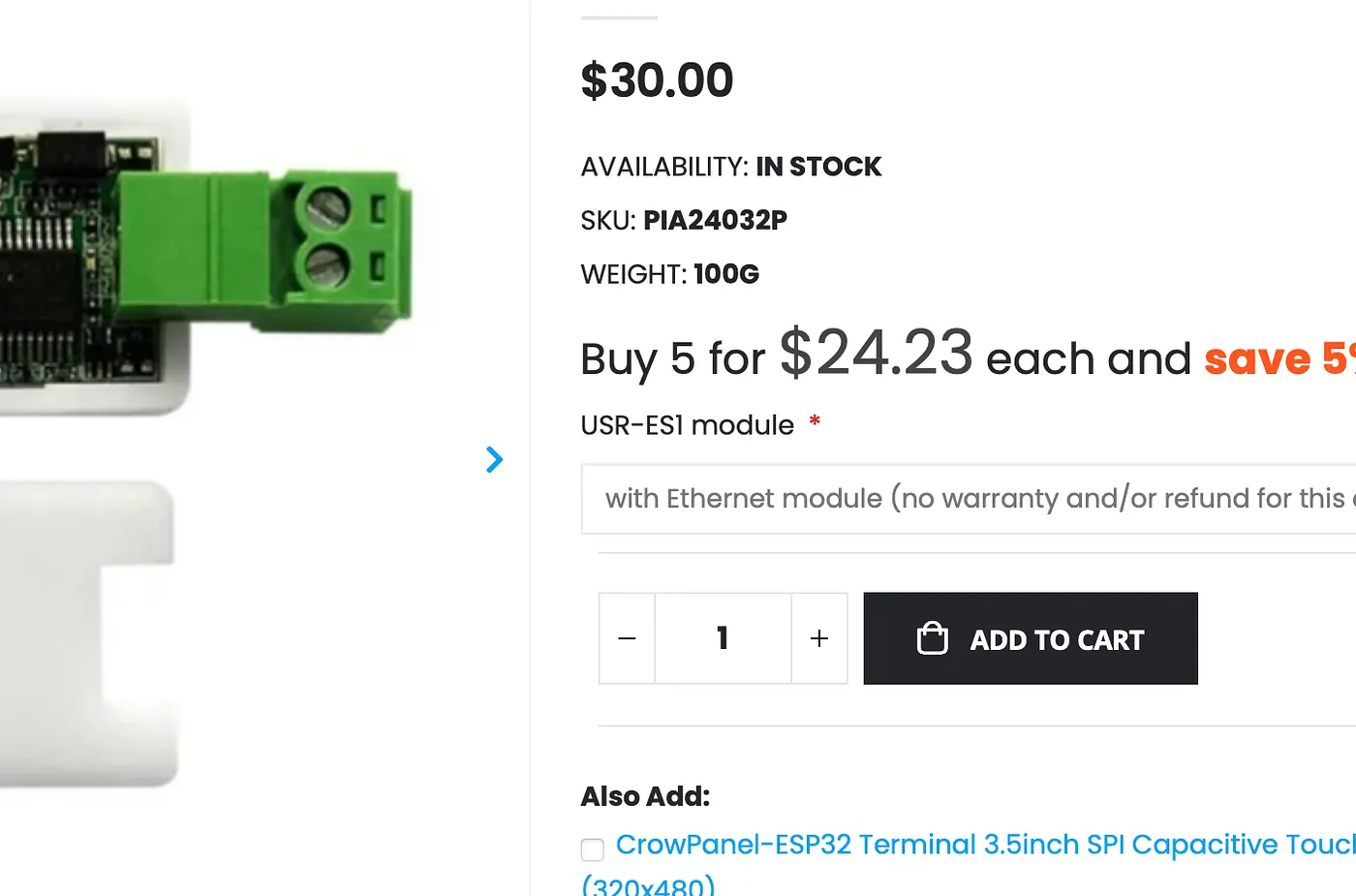
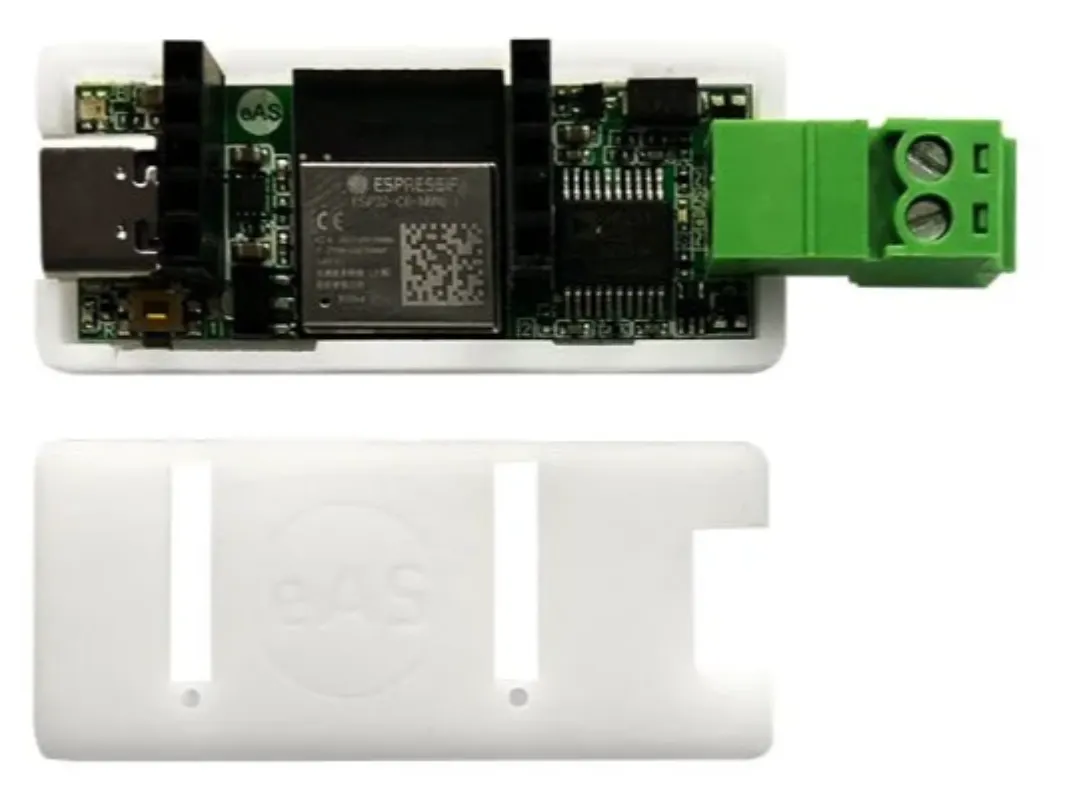
After installing the latest firmware on the stick, I linked it to my home network and set up a small Linux host to run eBUSd — an open-source daemon that communicates with the eBUS and exposes all the boiler’s data over MQTT. Finally, I connected that MQTT feed into Home Assistant, and everything came to life: temperatures, burner state, operating mode — all available as live sensors.
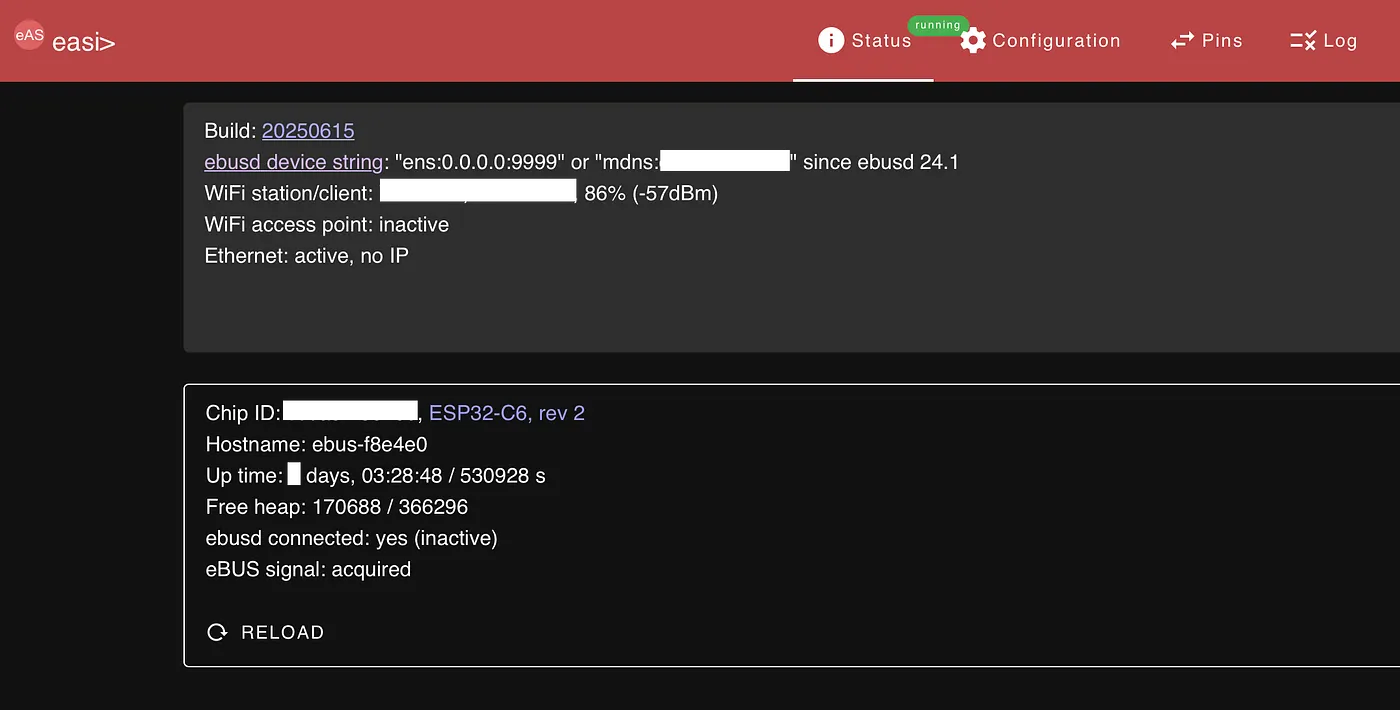
⚡ Understanding the eBUS Interface
The eBUS (Energy Bus) is a communication protocol used by many European heating systems — especially from Vaillant, Saunier Duval, Wolf, and others. It’s designed to allow different heating modules (like boilers, thermostats, and solar controllers) to communicate on the same two-wire bus.
On your Vaillant EcoCompact, you’ll find a pair of labeled terminals — usually marked as “eBUS”, “BUS”, or “+ / –”on the control board. These are low-voltage terminals and must never be connected to mains power.
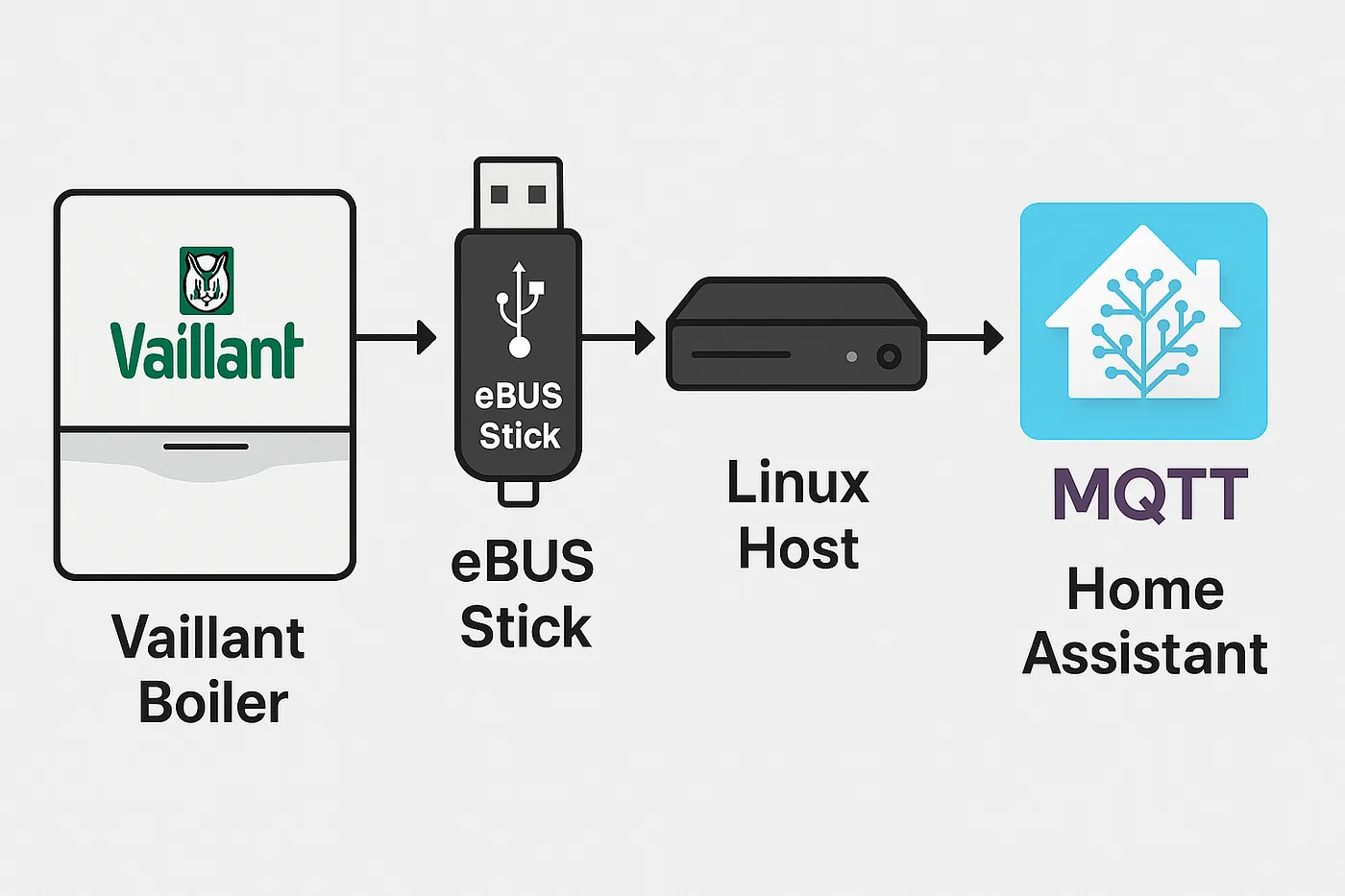
Connecting the Boiler to the eBUSd Stick
Before diving into software, the most critical step is establishing a physical connection between boiler and the eBUSd USB Stick v6. The connection must ensure electrical isolation and proper signal transmission, since the eBUS operates on a 15–20 V DC differential bus shared between all connected devices.
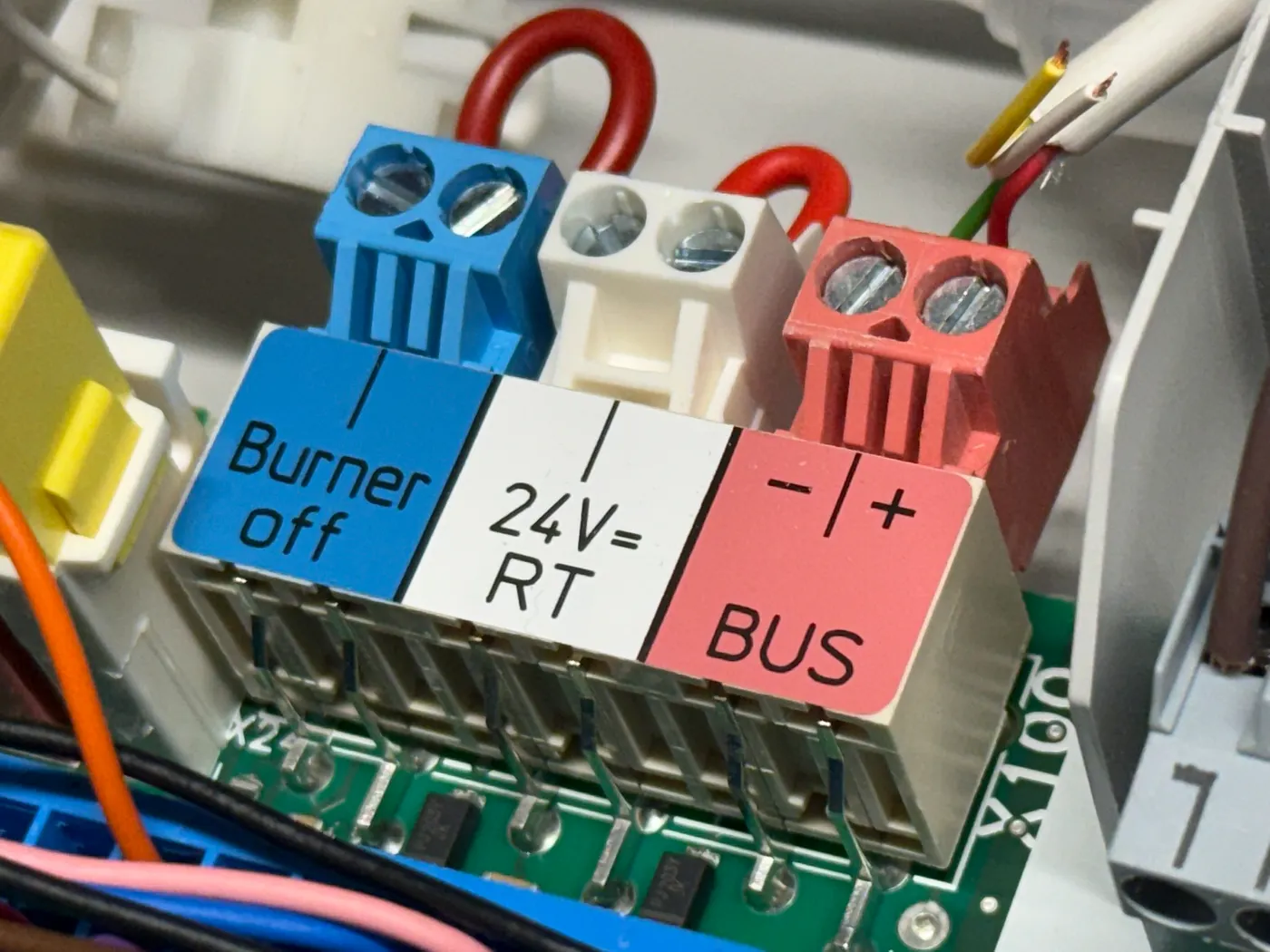
Wiring Steps
- Turn off your boiler’s power before connecting anything.
Even though eBUS is low-voltage, it’s safer to avoid live connections. - Connect the eBUS terminals from the boiler to the shield’s screw connectors (marked
AandB).
Polarity usually doesn’t matter for eBUS, but keep consistency if adding more devices later. - Attach the Shield to the Stick v6 — it clicks or screws directly onto the board.
- Plug the eBUSd Stick into your Linux host’s USB-C port (or into a powered hub if using a Raspberry Pi).
- Check the indicator LED on the stick. A steady light indicates bus voltage; a blinking light shows active communication.
eBUSd acts as the translator between your boiler’s eBUS network and the outside world. It listens to all messages on the bus, decodes them according to your boiler model’s configuration files, and then publishes those values to MQTT topics or exposes them via HTTP or command line.
This means you can read real-time metrics like flow temperature, water pressure, burner modulation, and operating mode — all without touching the internal boiler electronics.
Installing and Configuring eBUSd on a Linux Host
Once the hardware was connected, the next step was to get the software side running. For that, I used eBUSd — an open-source daemon created to communicate with heating systems using the Vaillant eBUS protocol. eBUSd is lightweight, runs perfectly on a Raspberry Pi, mini-PC, or any Linux host, and provides a stable bridge between your boiler and your automation setup.
First, update your system and install the necessary packages for building eBUSd:
sudo apt update
sudo apt install git cmake build-essential libssl-dev libtool autoconf automake
Then clone the official eBUSd repository and build it from source:
git clone https://github.com/john30/ebusd.git
cd ebusd
mkdir build && cd build
cmake ..
make
sudo make install
This process compiles the daemon and installs it as a system service. If you’re using a Raspberry Pi, you can also install it from the Debian repositories:
sudo apt install ebusdedit /etc/ebusd/ebusd.conf file:
EBUSD_OPTS="--scanconfig -d ens:EBUSD_IP_ADDRESS:9999 --pollinterval=30 --mqttport=1883 --mqtthost=HOMEASSISTANT_IP_ADDRESS --mqttuser=DEMO --mqttpass=DEMO --mqttint=/etc/ebusd/mqtt-hassio.cfg --mqttjson --httpport=8889>MQTT in Action: My Vaillant Boiler Data Live in Home Assistant
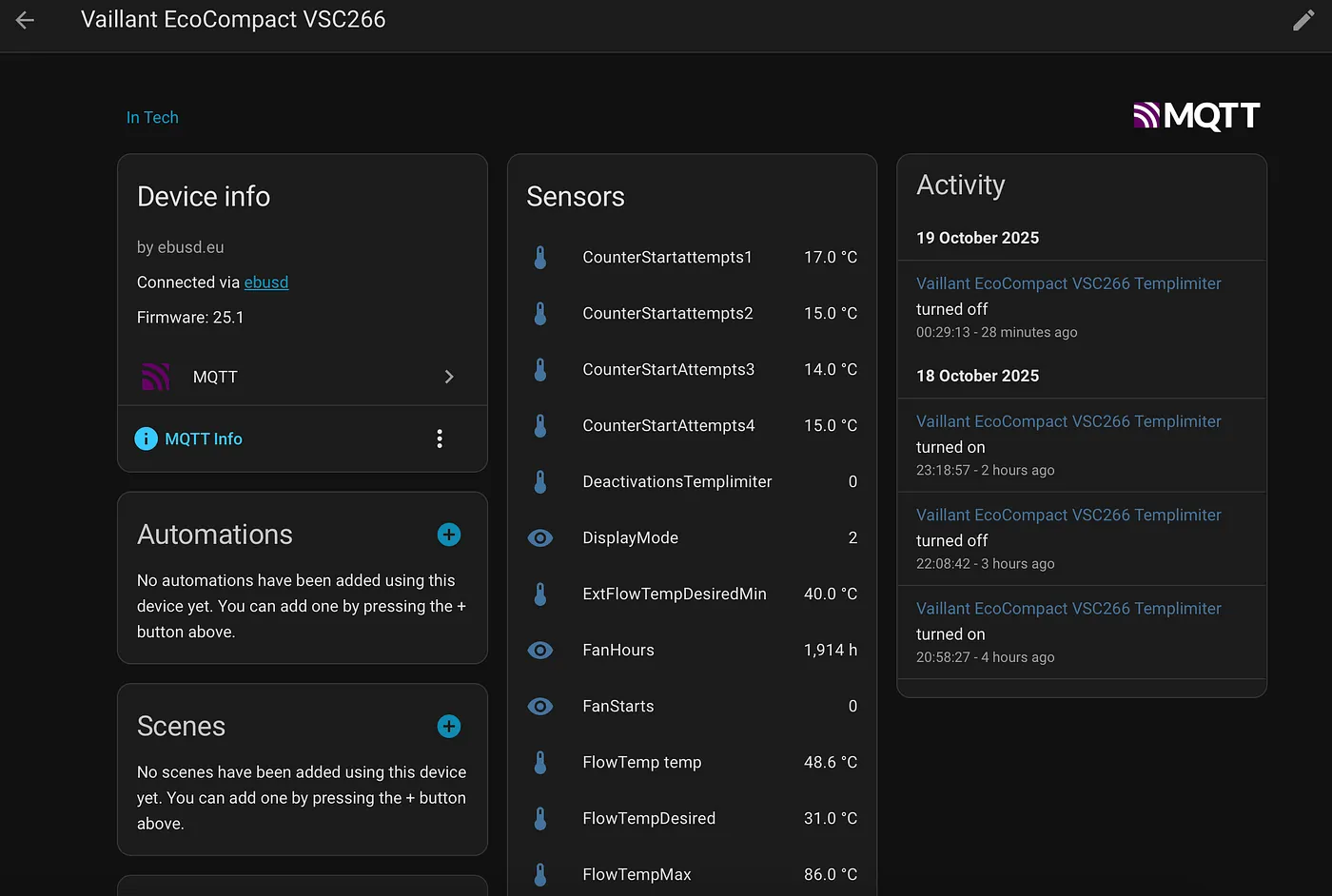
Visualizing Your Heating System
Now the fun part — turn data into visuals.
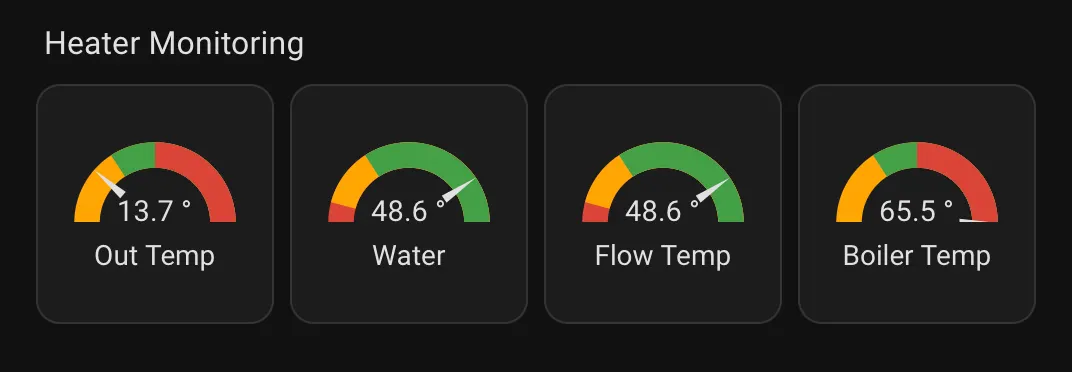
💬 Wrapping Up
That’s my full setup — a Vaillant boiler made smarter with an eBUS Stick, ebusd, MQTT, and Home Assistant. It’s been rock-solid so far, and I’m already planning the next level: automations, predictive heating, and maybe even energy-aware optimization with solar input.
If you’re experimenting with similar setups or just want to chat about smart heating, feel free to reach out — I’m always happy to swap ideas or help troubleshoot.
I’ve got a bunch more automations and integration tricks in the works, so stay tuned — I’ll be sharing new posts soon on advanced heating control, dashboards, and smart-home wizardry.
Follow me on LinkedIn, and let’s make our homes smarter together. 🔥🏠💡